uAuditor Release Notes – Version 1.7.0
This release brings a major expansion to Equipment Management across the uAuditor Mobile App and Web Platform, giving organizations greater visibility and control over equipment throughout its lifecycle.
Teams can now manage equipment from mobile, review reports and transfer history, acknowledge equipment assigned to them, and capture more structured measurements during inspections. The Web Platform also introduces equipment transfers, acknowledgements, QR codes, categorization, audit logs, PDF and Excel reporting, enhanced inspection scoring, template customization, custom user fields, and more.
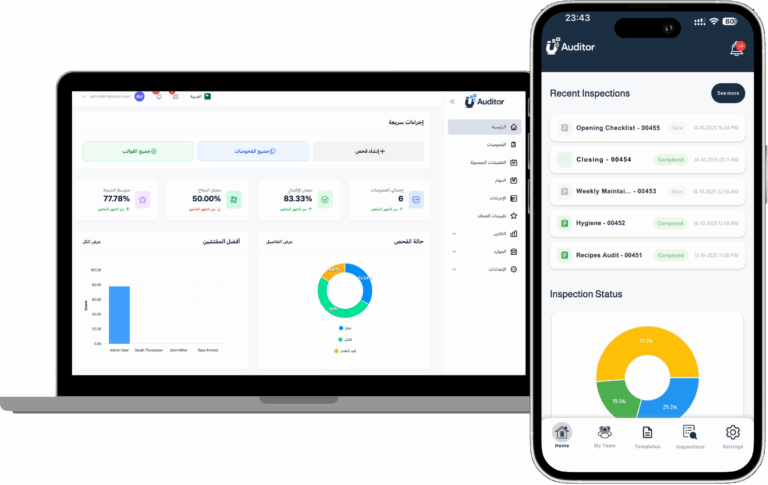
📱 Mobile App Updates (iOS & Android)
- Equipment Management on Mobile
- Access and review equipment directly from mobile.
- View detailed equipment information and reports.
- Review equipment transfer history.
- Track equipment movement between branches and responsible users.
- Access important equipment information while working in the field.
- Equipment Assignment Acknowledgement
- Receive a notification when equipment is assigned to you as the responsible user.
- Review the assigned equipment directly from mobile.
- Acknowledge receipt and responsibility for assigned equipment.
- Maintain a clearer record of equipment responsibility across your team.
- Enhanced Metric Number Questions
- Capture temperature readings.
- Record distance and other measurements.
- Enter prices and monetary values.
- Support additional metric and numeric data types.
- Provide clearer context and units for numeric answers during inspections.
🌐 Web Platform Updates
- Advanced Equipment Management
- Organize equipment into categories for easier management across larger inventories.
- Filter equipment by branch and quickly identify equipment belonging to specific locations.
- Transfer equipment between branches while maintaining a clear transfer history.
- Require users to provide a reason when changing equipment status.
- Equipment Assignment & Acknowledgement
- Assign equipment to a specific responsible user.
- Automatically trigger an acknowledgement requirement when equipment is assigned.
- Maintain a record confirming that the responsible user has acknowledged the equipment.
- Download an individual Equipment Acknowledgement Form.
- Download a consolidated acknowledgement report for all equipment assigned to a specific user.
- Equipment Reports & Exports
- Generate dedicated Equipment PDF Reports.
- Export equipment data to Excel.
- Download Equipment Acknowledgement Forms.
- Generate consolidated acknowledgement reports by user.
- Filter equipment by branch for more focused reporting and analysis.
- Equipment QR Codes
- Generate a unique QR code for each piece of equipment.
- Make equipment easier to identify in the field.
- Provide faster access to equipment information.
- Support more efficient equipment tracking across branches.
- Full Equipment Audit Log
- View a comprehensive audit history directly from the equipment details page.
- Track assignments, acknowledgements, transfers, status changes, and other equipment updates.
- Maintain a clearer historical record throughout the equipment lifecycle.
- More Inspection Template Customization
- Set a custom Pass Percentage for each inspection template.
- Add a custom Template Image for easier identification and better visual organization.
- Metric Number Question Enhancements
- Support temperature measurements.
- Support price and monetary values.
- Support distance measurements.
- Support additional numeric and measurement-based values.
- Provide clearer context and units for numeric responses.
- Improved Inspection Score Representation
- Improve the way scores are represented for each inspection.
- Make inspection results clearer and easier to understand.
- Help managers and supervisors quickly identify inspections requiring attention.
- Inspection Report Enhancements
- Set Pages Mode as the default view when opening Inspection Reports.
- Review longer inspection reports in a more structured format.
- Navigate inspection results easily page by page.
- Inspection Completion Email Enhancements
- Improve inspection completion email content and presentation.
- Provide managers and relevant team members with clearer information about completed inspections.
- Make it easier to understand completed inspection activity directly from email notifications.
- Custom User Fields
- Create custom fields and parameters for user profiles.
- Store employee or internal reference information.
- Add department and organization-specific information.
- Capture additional custom user attributes based on your organization’s requirements.
🔧 General Improvements
- Better equipment lifecycle management across mobile and web.
- Stronger equipment accountability and traceability.
- More flexible inspection data collection with enhanced metric number questions.
- Clearer inspection scoring and reporting.
- Improved equipment reporting and export capabilities.
- More flexible user profile management.
- Enhanced mobile and Web Platform usability.
- Performance improvements and stability enhancements.
uAuditor 1.7.0 significantly expands Equipment Management across mobile and web, helping organizations manage equipment assignments, transfers, acknowledgements, categorization, QR codes, audit history, and reporting from one platform. Combined with enhanced metric number questions, inspection scoring, template customization, reporting improvements, and custom user fields, this release provides greater visibility, accountability, and control across daily operations.